

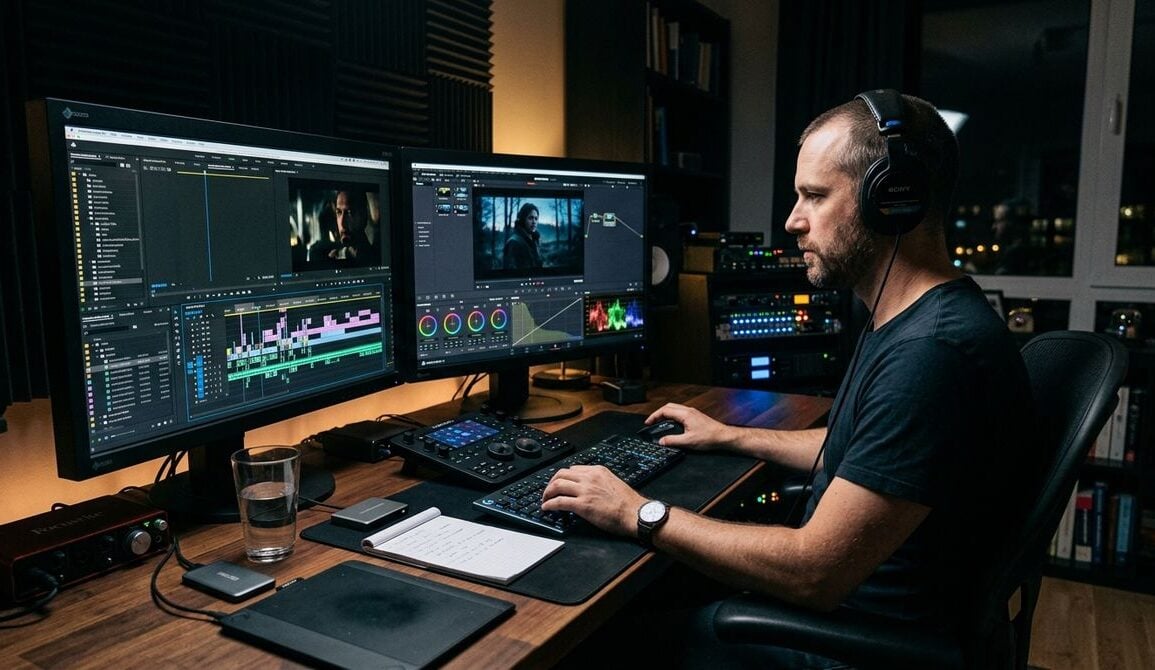
Modern businesses frequently need to communicate with clients, partners, and remote team members through clear visual media. Whether an enterprise creates internal training walkthroughs, software demonstrations, client onboarding welcomes, or regular founder briefings, shipping every recording to an external creative agency can slow communication to a crawl. Establishing a permanent recording space inside your current office allows your team to produce clear, reliable messages on demand without logistical friction.
Creating an internal recording space does not require leasing a commercial soundstage or purchasing complex broadcast gear. For most growing companies, success comes down to establishing dependable physical conditions, selecting approachable equipment that anyone in the office can operate, and setting up clean maintenance routines. When leadership treats visual media as an operational capability rather than an occasional artistic endeavor, the entire organization benefits from faster knowledge sharing and clearer customer touchpoints.
Selecting the Right Space in Your Workplace
The first step in planning an internal recording area is finding a quiet, dedicated spot that avoids normal office foot traffic. A small spare conference room, an underutilized storage space, or a quiet corner of an administrative floor can serve as a dependable studio. The primary objective is isolation from sudden acoustic interruptions such as ringing desk phones, slamming breakroom doors, and street noise.
Acoustics matter far more than visual aesthetics in the early stages of planning. Hard surfaces such as bare glass walls, polished concrete, and metal filing cabinets bounce audio waves around the room, creating an echo that makes spoken words difficult to understand. Hanging heavy acoustic curtains, laying down a thick area rug, and mounting foam acoustic panels can absorb ambient reverberations. These simple physical adjustments significantly improve vocal clarity before a camera even powers on.
Lighting requires equal attention when evaluating a potential corner. Natural sunlight through windows shifts in warmth and brightness throughout the working day, which creates mismatched visuals if a session takes several hours to complete. A room without windows, or one fitted with blackout shades, provides a controllable environment where your staff can set up continuous artificial lights that deliver the same color balance every morning and afternoon.
Choosing Practical Capture Gear Without Overcomplicating
A common trap for company founders is purchasing overly technical cinema cameras that require dedicated camera operators and extensive technical training. In an everyday office environment, gear needs to be approachable. If the equipment feels intimidating, team members will avoid using the space, and the investment will gather dust.
The ideal setup balances clean image rendering with automated features such as face-detect autofocus and reliable internal cooling. Compact mirrorless cameras designed for content creators and solo presenters often hit this exact mark, giving staff members clear on-screen indicators and simplified physical controls. When evaluating options that provide intuitive handling alongside crisp resolution, reading specialized buying breakdowns on bestcameraworld.com helps management teams evaluate practical camera features that align with everyday workplace communication needs.
Audio gear should follow the same rule of accessibility. Directional shotgun microphones positioned on boom arms just out of the camera frame, or compact wireless lavalier transmitters that clip directly to a speaker’s collar, reduce ambient room pickup. Running audio directly into the camera or through a simple USB interface eliminates the need for complex multi-channel mixers that require sound engineering expertise. Keep the connections minimal so that any staff member can walk in, flip a power switch, and begin speaking.
Establishing Software Workflows and Troubleshooting Protocols
Even with straightforward hardware, technical friction can easily derail an afternoon recording session. Cables loosen, firmware requires updates, and audio interfaces occasionally fail to handshake with operating system drivers. Without clear troubleshooting steps in place, a team member encountering a frozen display or an unrecognized microphone might abandon a recording entirely.
Documenting common technical solutions directly on a laminated guide near the workstation prevents unnecessary delays. Staff members should know how to verify basic connections, power cycle peripheral devices, and ensure capture settings match company storage drives. When facing unfamiliar hardware behavior or unexpected peripheral errors, researching troubleshooting guidance through technology problem-solving hubs like javaclue.org gives office managers practical advice for solving gadget connectivity snags and keeping capture devices running smoothly.
File management represents another essential component of your workflow infrastructure. Video files consume large volumes of storage and can quickly overwhelm local computer drives. Establish a clear naming convention and folder hierarchy on your central company server, sorting recordings by department, project name, and date. Having a defined transfer routine ensures footage is backed up immediately after filming, preventing accidental file deletion when multiple team members share the same camera memory cards.
Treating Studio Operations as an Operational Discipline
A functional office studio is fundamentally an operational system. When tools are returned to random shelves or batteries are left uncharged, the next user loses valuable working time searching for essential cables or waiting for a battery to reach full capacity. Maintaining the studio requires the same level of procedural rigor that well-managed companies apply to maintenance bays, commercial kitchens, or warehouse floors.
Clear equipment checks safeguard against unexpected downtime and costly delays. Much like the structured methodology outlined in our guide on routine vehicle checks during a relocation, establishing baseline hardware inspections ensures every tool performs reliably when called upon. When staff members treat their physical tools with systematic care, the entire production process runs smoothly from start to finish.
Assign a primary coordinator to oversee the physical room. This individual does not need to operate the camera for every session, but they should be responsible for monitoring the inventory of spare cables, keeping lenses free of dust, and confirming that battery charging banks remain plugged in. Establishing clear ownership prevents the diffusion of responsibility that often leaves shared office resources in disrepair.
Standardizing the Daily Recording Routine
To make recording as effortless as possible, create a concise checklist that presenters follow every time they enter the room. Standardized steps remove uncertainty and ensure consistent presentation quality across all departments.
A practical pre-recording routine includes the following steps:
- Power on the studio lights and verify that all shades are fully drawn.
- Mount the camera securely and confirm the lens surface is clean.
- Attach the audio receiver and run a brief vocal test to check recording levels.
- Format the memory card after confirming previous footage has been safely archived.
- Review the framing on the monitor to ensure the presenter sits within the lighting area.
After completing a session, following an identical reset protocol guarantees the room remains ready for the next colleague. Equipment should be powered down in a specified order, wearable microphones wiped down and returned to their charging docks, and any personal notes or props cleared from the presenter desk.
Investing the time to build an internal media room transforms how a business shares knowledge. Instead of struggling to draft complex written instructions or coordinating elaborate off-site filming days, team members gain the freedom to step into a dedicated room, share their knowledge clearly, and distribute their message across the organization in minutes.
With deliberate acoustic preparation, straightforward gear selection, and consistent maintenance checklists, any growing enterprise can establish a reliable recording environment. By treating your internal studio as a structured operational asset, you build a sustainable communication channel that supports your company into the future.