

Creating professional invoices is an important part of running a business. Whether you are a freelancer, small business owner, retailer, consultant, or service provider, a clear invoice helps you record sales, communicate payment details, and maintain organized financial records. An invoice maker makes this process easier by allowing you to create invoices quickly without preparing every document manually.
For businesses and individuals looking for a convenient mobile solution, Billora Invoice Maker is a best app in Play Store for creating invoices on the go. It can be useful for users who want a simple way to prepare professional-looking invoices from their smartphones. With an invoice app, you can reduce repetitive work and spend more time focusing on customers and business activities.
What Is an Invoice Maker?
An invoice maker is a tool that helps you create invoices by entering important transaction details. Instead of designing an invoice from scratch, you can use predefined fields and templates to prepare a document in a structured format.
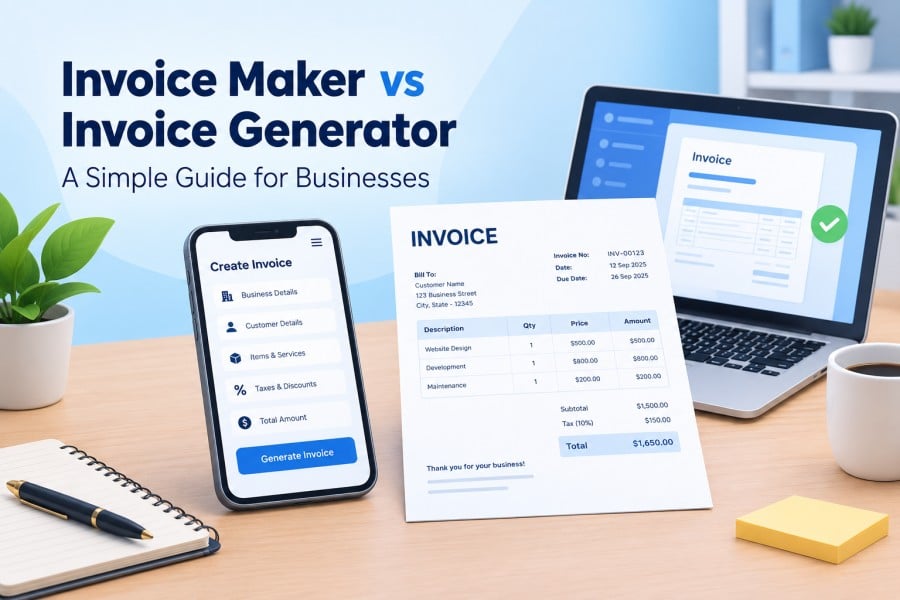
A typical invoice maker may allow you to add:
- Business or seller information
- Customer details
- Invoice number
- Invoice date
- Product or service descriptions
- Quantity
- Price
- Taxes or discounts
- Total amount
- Payment information
- Notes and terms
This makes invoice preparation faster and reduces the possibility of missing important information.
What Is an Invoice Generator?
An invoice generator is a digital tool that automatically creates an invoice after you provide the required business and transaction information. Depending on the tool, you may be able to customize the invoice, calculate totals, add taxes, and generate a shareable or downloadable document.
The main purpose of an invoice generator is to simplify the process of turning transaction details into a professional invoice.
For example, instead of calculating the total manually and formatting a document, you can enter the items, quantities, and prices. The tool can then organize the information into an invoice.
Invoice Maker vs Invoice Generator
The terms invoice maker and invoice generator are often used interchangeably, but they can describe slightly different features.
An invoice maker generally focuses on creating and customizing invoices. It may provide templates, editing options, business profiles, and tools for managing invoice details.
An invoice generator generally focuses on automatically producing the final invoice from the information entered by the user.
Many modern invoice applications combine both functions. This means users can create, customize, calculate, and generate invoices from one platform.
Why Use an Invoice Maker?
Manual invoice creation can become repetitive when you handle multiple customers or transactions. An invoice maker can simplify this routine task.
1. Saves Time
Creating every invoice manually requires formatting, calculations, and repeated data entry. An invoice maker can streamline these steps so you can prepare invoices more quickly.
2. Reduces Calculation Errors
Invoices often include quantities, prices, discounts, and taxes. Automated calculations can help reduce common arithmetic mistakes.
3. Creates Professional Invoices
A structured invoice gives customers clear information about what they purchased and how much they need to pay. Templates can also help maintain a consistent business appearance.
4. Keeps Information Organized
Digital invoices are easier to organize than scattered handwritten or manually created documents. Depending on the application, you may also be able to keep customer and invoice information in one place.
5. Convenient for Mobile Users
A mobile invoice maker can be especially useful for freelancers, field professionals, small retailers, and business owners who need to create invoices while away from their desks.
How Does an Invoice Generator Work?
Using an invoice generator is generally straightforward. The exact process depends on the application, but the basic workflow usually includes the following steps:
Step 1: Add Business Details
Enter your business name and other relevant information.
Step 2: Add Customer Information
Provide the customer’s name and required contact details.
Step 3: Add Products or Services
Enter the products or services provided, along with quantities and prices.
Step 4: Review Calculations
Check subtotals, discounts, taxes, and the final amount.
Step 5: Customize the Invoice
If the tool supports customization, add your logo, payment instructions, terms, or other relevant information.
Step 6: Generate the Invoice
Create the final invoice and save or share it using the available options.
Features to Look for in an Invoice Maker
Not every invoice application provides the same features. Before choosing an invoice maker, consider whether it offers the functions you regularly need.
Useful features can include:
- Easy invoice creation
- Custom invoice templates
- Automatic calculations
- Tax and discount fields
- Customer management
- Product or service lists
- Invoice numbering
- PDF generation
- Invoice sharing
- Payment details
- Invoice history
- Mobile accessibility
- Business branding options
Choosing a tool based on your actual invoicing requirements can make your daily workflow much easier.
Who Can Use an Invoice Generator?
An invoice generator can be useful for many types of users. Freelancers can use it to bill clients for projects, while consultants can create invoices for professional services.
Small businesses can use invoice tools for regular customer transactions. Retailers, contractors, agencies, tutors, repair professionals, and independent service providers may also benefit from faster invoice creation.
Even businesses that issue only a few invoices each month can use an invoice maker to maintain a consistent and organized billing process.
Tips for Creating Better Invoices
A good invoice should be easy for the customer to understand. Keep the layout simple and make important information easy to find.
Always check the customer’s details, invoice number, date, product or service description, quantity, price, applicable taxes, and final amount before sending the invoice.
It is also useful to maintain consistent invoice numbering and keep copies of your invoices for your business records.
Final Thoughts
An invoice maker and invoice generator can make billing more convenient by reducing manual formatting and calculations. Instead of spending unnecessary time preparing each invoice, businesses can use digital tools to create structured documents quickly.
For users who prefer managing invoices from their smartphones, apps such as Billora Invoice Maker can provide a convenient way to handle everyday invoicing tasks. The right invoice tool ultimately depends on your business size, billing frequency, customization requirements, and preferred workflow.